---
title: "Step 2: Getting Connected"
description: Learn how to connect to the Scale to Win Dialer using your computer, tablet, or phone. This guide explains both connection options — “Call with this device” and “Call with this device + phone for audio” — so you can make calls smoothly and securely from any device.
---
[Skip to content](https://support.scaletowin.com/step-2-getting-connected#main-content)
English
Show submenu for translations
[](https://www.scaletowin.com/)
Open main navigation
Close main navigation
- English
Show submenu for translations
- [Contact us](https://support.scaletowin.com/contact)
[Contact us](https://support.scaletowin.com/contact?hsLang=en)
Hi! How can we help?
- There are no suggestions because the search field is empty.
1. [Scale to Win](https://support.scaletowin.com/?hsLang=en)
2. [Caller Academy | Guides for Callers](https://support.scaletowin.com/caller-academy-guides-for-callers?hsLang=en)
3. [Making Calls & Clicking](https://support.scaletowin.com/caller-academy-guides-for-callers?hsLang=en#making-calls-clicking)
# Step 2: Getting Connected
There are two options for how to connect to the Scale to Win Dialer:
1. **“Call with this device”** means you will make phone calls using your web browser. You can use this option on a computer, tablet, or smartphone using any web major browser (i.e., Chrome, Firefox, Safari, and Microsoft Edge). You simply visit the ‘Caller URL’ (sent to you by your campaign or organization) from the web browser on your preferred device. The audio of the calls you make will come through the device you’re using to access the Dialer (e.g., your computer’s speakers). “Call with this device” mode is a great option if you have reliable wifi, but if your wifi is spotty, we recommend “Call with this device + phone for audio” mode (below).
2. **“Call with this device + phone for audio”** means you will use your phone (either a cell phone or landline phone) for the audio of your calls, and follow the script and answer the questions on your computer (or tablet or smartphone browser). This option is recommended if your wifi is spotty and you have a reliable phone connection (either cell phone or landline).
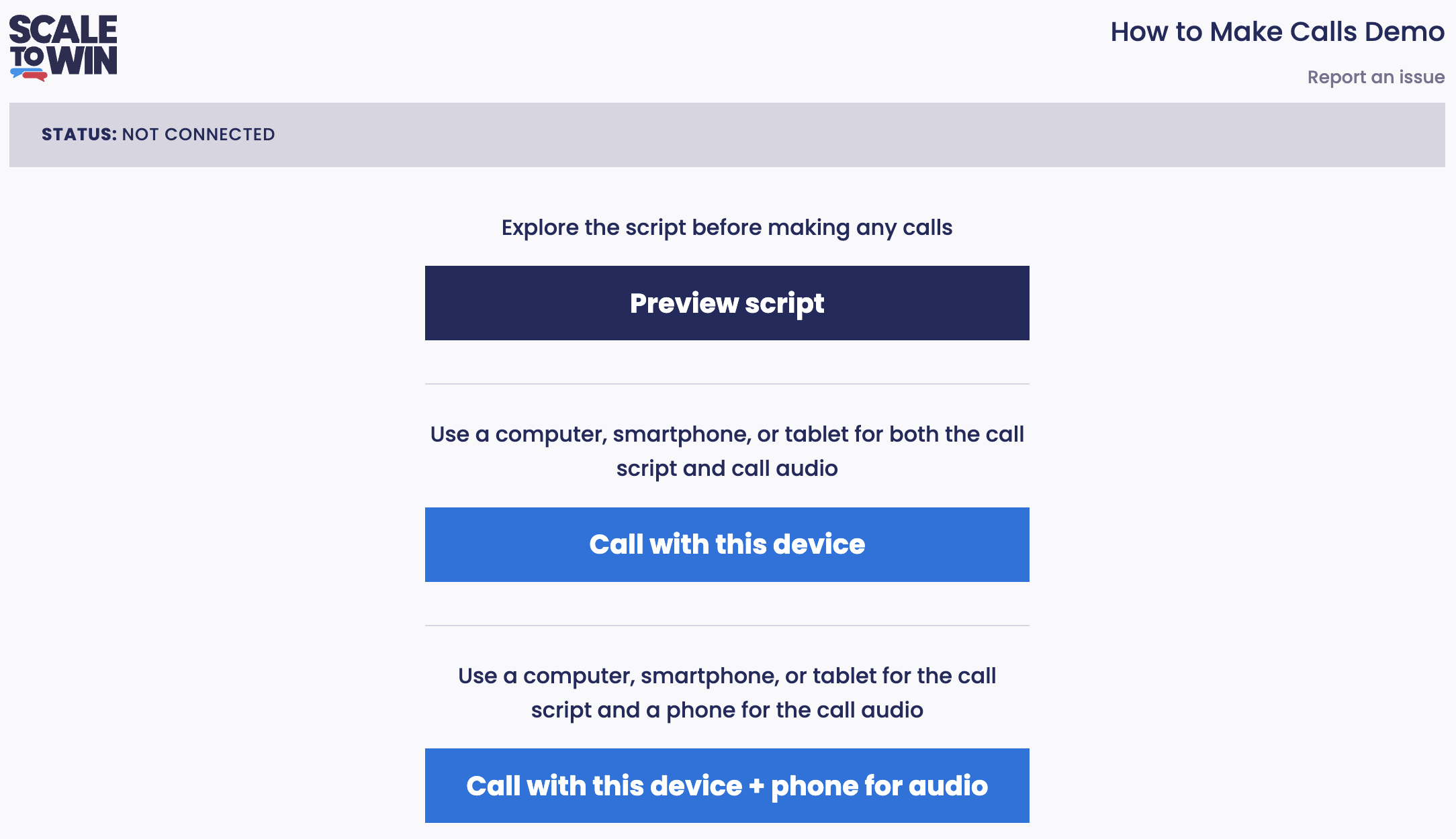
*The home screen of the Dialer.*
Regardless of which option you choose, the contacts you are calling will never see your phone number.
Also, you may wish to use headphones when calling, for comfort and convenience.
After choosing the option you’d like to use for connecting to the Dialer, you will be brought to this screen:
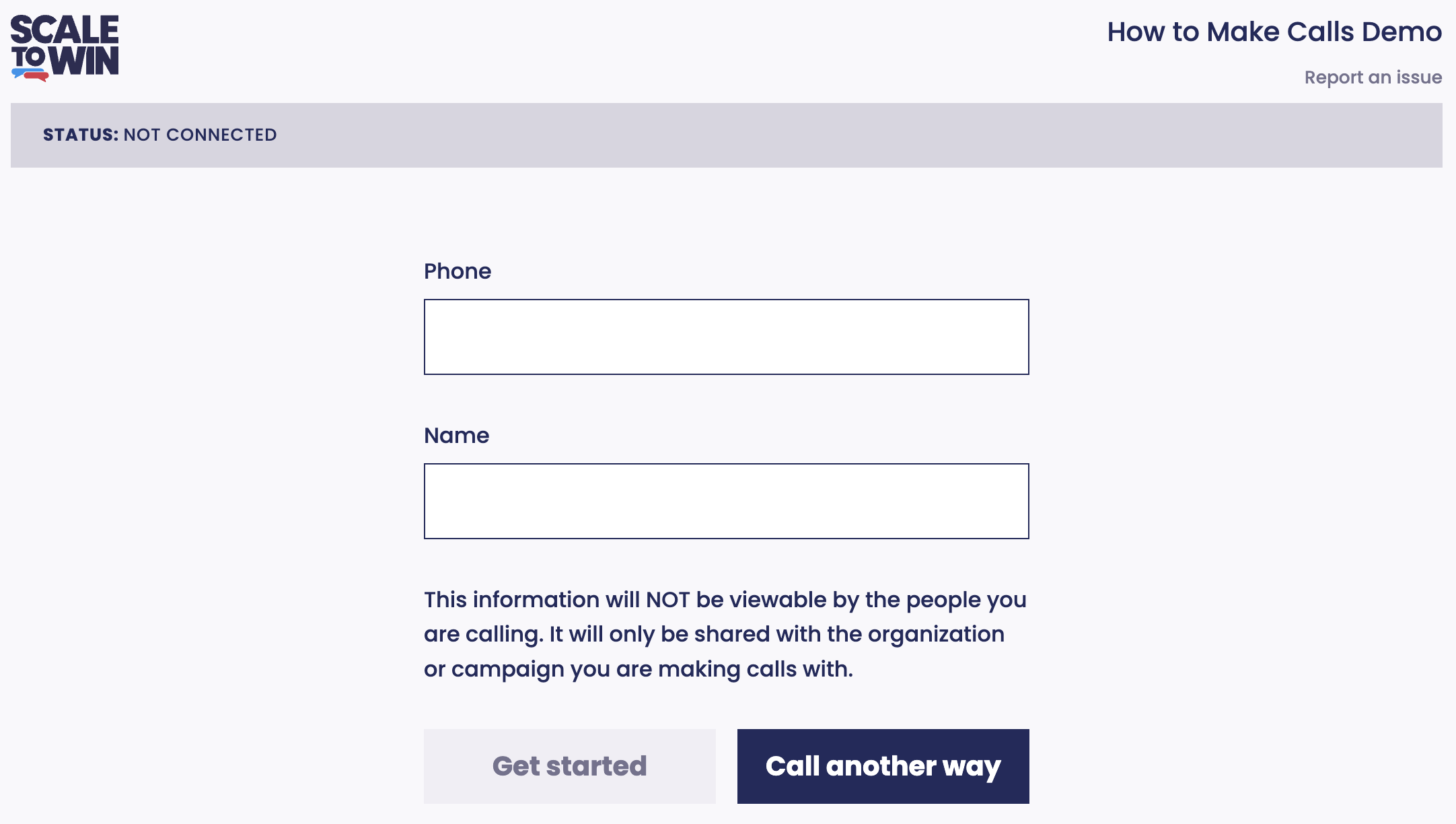
*The first step to get connected to the Dialer is to input your information.*
Enter your phone number and full name, and then click “Get Started.” As a reminder, this information is never seen by the people you’re calling; it is only shared with the campaign or organization you are calling with!
- If you decide you want to use the other option for connecting to the Dialer, click the **“Call another way”** button to go back to the Dialer home screen.
- If you are using the **“Call with this device”** option, a notice may pop up on your web browser **asking you permission to use your device’s microphone.** Click “Allow” if this happens.
- If you are using the **“Call with this device + phone for audio”** option, the next screen will give you **a phone number to call** (from your cell phone or landline) and ask you to follow the instructions. Once again, the contacts you call will never see your phone number. You are calling into the Dialer system, and the system uses a different number to dial the contacts with whom you will be talking.
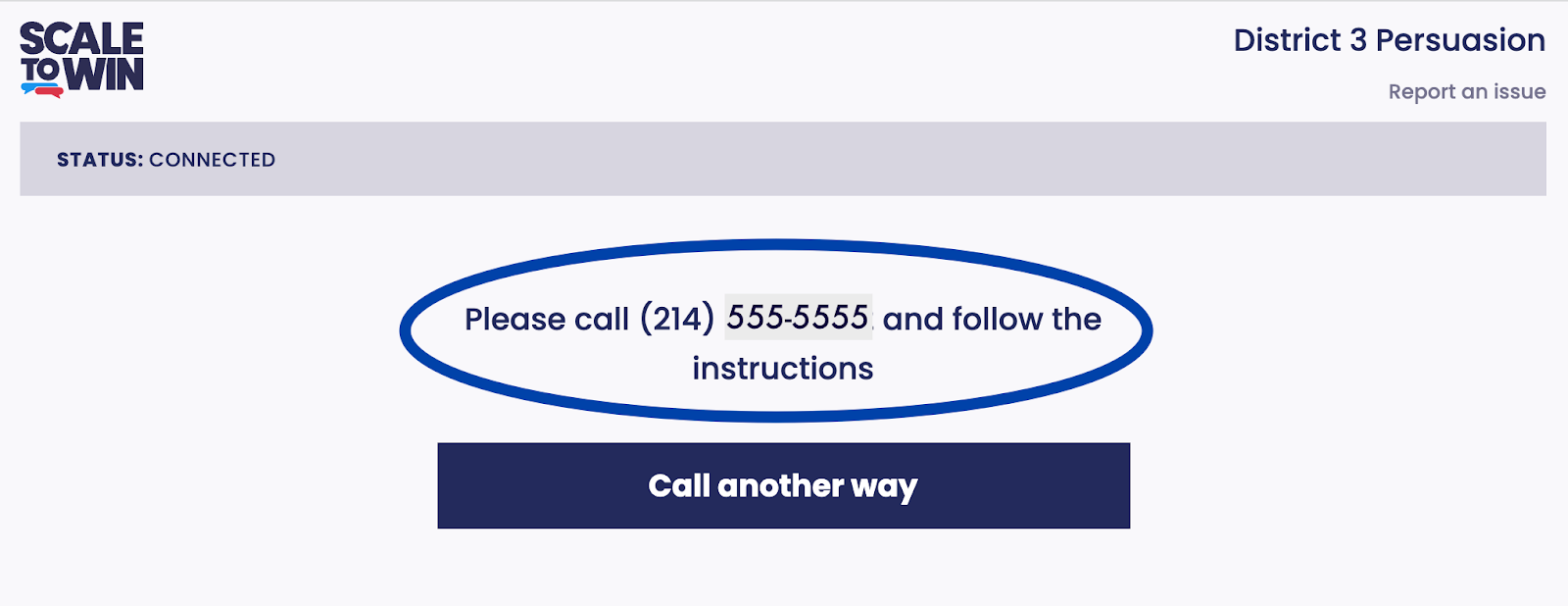
*When using “Call with this device + phone for audio” mode, you will be instructed to call into the Dialer system from your phone. You will be using your phone for the audio of your calls.*
Now you’re ready to start calling! The status bar towards the top of your screen will say “STATUS: CONNECTED.” Click the “Start calling” button to make your first call!

*The screen you’ll see when you’re ready to connect to your first call.*
- [Scale to Win Text](https://support.scaletowin.com/scale-to-win-text?hsLang=en#main-content)
- [Getting Started](https://support.scaletowin.com/scale-to-win-text?hsLang=en#getting-started)
- [Creating Text Campaigns](https://support.scaletowin.com/scale-to-win-text?hsLang=en#creating-text-campaigns)
- [Navigating Your Menu & Features](https://support.scaletowin.com/scale-to-win-text?hsLang=en#navigating-your-menu-features)
- [Integrations & Data Management](https://support.scaletowin.com/scale-to-win-text?hsLang=en#integrations-data-management)
- [Best Practices, Troubleshooting & FAQs](https://support.scaletowin.com/scale-to-win-text?hsLang=en#best-practices-troubleshooting-faqs)
- [Glossary](https://support.scaletowin.com/scale-to-win-text?hsLang=en#glossary)
- [Scale To Win Text | Phone Number Registration](https://support.scaletowin.com/scale-to-win-text-phone-number-registration?hsLang=en#main-content)
- [10DLC](https://support.scaletowin.com/scale-to-win-text-phone-number-registration?hsLang=en#10dlc)
- [Short Code](https://support.scaletowin.com/scale-to-win-text-phone-number-registration?hsLang=en#short-code)
- [Compliance Guidelines](https://support.scaletowin.com/scale-to-win-text-phone-number-registration?hsLang=en#compliance-guidelines)
- [Scale To Win Text | Phone Number Types](https://support.scaletowin.com/scale-to-win-text-phone-number-types?hsLang=en#main-content)
- [10DLC](https://support.scaletowin.com/scale-to-win-text-phone-number-types?hsLang=en#10dlc)
- [Short Code](https://support.scaletowin.com/scale-to-win-text-phone-number-types?hsLang=en#short-code)
- [Scale To Win Text | Guides for Texters](https://support.scaletowin.com/scale-to-win-text-guides-for-texters?hsLang=en#main-content)
- [Getting Started](https://support.scaletowin.com/scale-to-win-text-guides-for-texters?hsLang=en#getting-started)
- [Texter View](https://support.scaletowin.com/scale-to-win-text-guides-for-texters?hsLang=en#texter-view)
- [Scale to Win Dialer](https://support.scaletowin.com/scale-to-win-dialer?hsLang=en#main-content)
- [Getting Started](https://support.scaletowin.com/scale-to-win-dialer?hsLang=en#getting-started)
- [Creating Call Campaigns](https://support.scaletowin.com/scale-to-win-dialer?hsLang=en#creating-call-campaigns)
- [Features](https://support.scaletowin.com/scale-to-win-dialer?hsLang=en#features)
- [Navigating Your Menu](https://support.scaletowin.com/scale-to-win-dialer?hsLang=en#navigating-your-menu)
- [Managing Call Campaigns](https://support.scaletowin.com/scale-to-win-dialer?hsLang=en#managing-call-campaigns)
- [Integrations & Data Management](https://support.scaletowin.com/scale-to-win-dialer?hsLang=en#integrations-data-management)
- [Caller Academy | Guides for Callers](https://support.scaletowin.com/caller-academy-guides-for-callers?hsLang=en#main-content)
- [Getting Started](https://support.scaletowin.com/caller-academy-guides-for-callers?hsLang=en#getting-started)
- [Making Calls & Clicking](https://support.scaletowin.com/caller-academy-guides-for-callers?hsLang=en#making-calls-clicking)
- [Billing](https://support.scaletowin.com/billing?hsLang=en#main-content)
- [Setting up your billing portal](https://support.scaletowin.com/billing?hsLang=en#setting-up-your-billing-portal)
- [Payment Methods](https://support.scaletowin.com/billing?hsLang=en#payment-methods)
- [Understanding Charges](https://support.scaletowin.com/billing?hsLang=en#understanding-charges)
[](http://scaletowin.com)
Copyright © 2025, Scale to Win