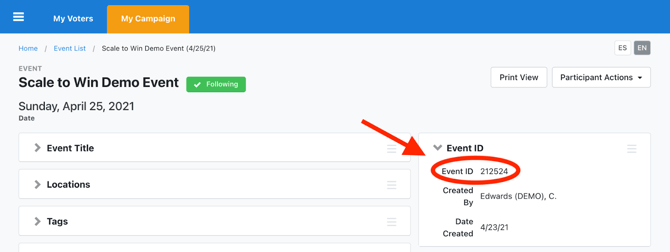
With a MyCampaign API key, you can now create text campaigns to invite, schedule, and confirm attendees to VAN Events.
First you'll set up your event in VAN and save it to generate an Event ID.
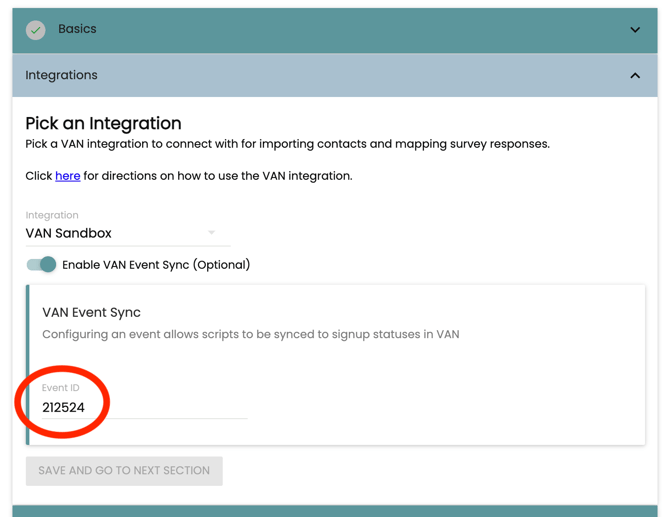
After creating your event in VAN, create a new campaign in Spoke. Once created, head to the Integrations section of the campaign, select your MyCampaign API key from the Integrations dropdown, and then toggle "Enable VAN Event Sync" on. After that, enter the corresponding Event ID from the event you created in VAN and hit save.
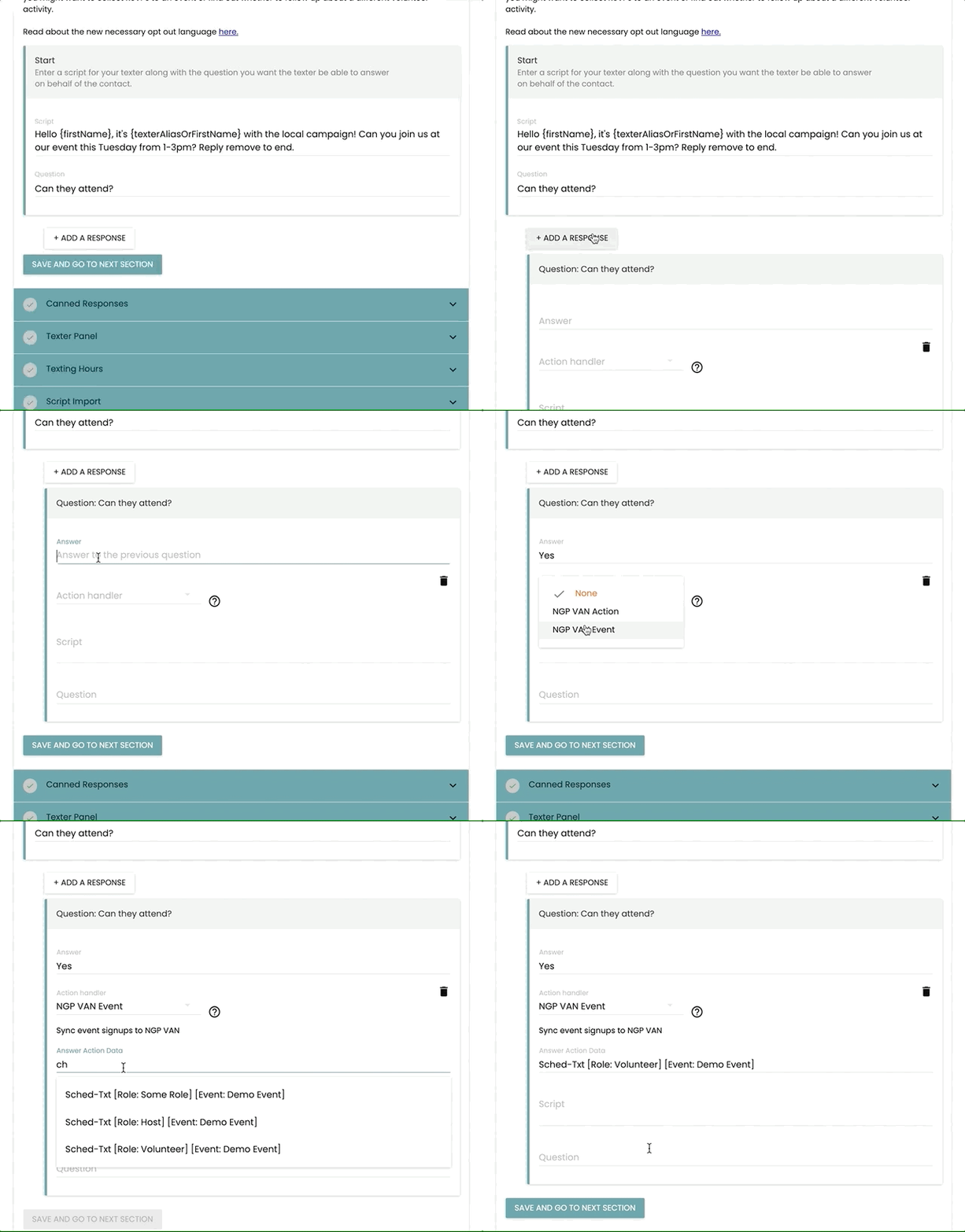
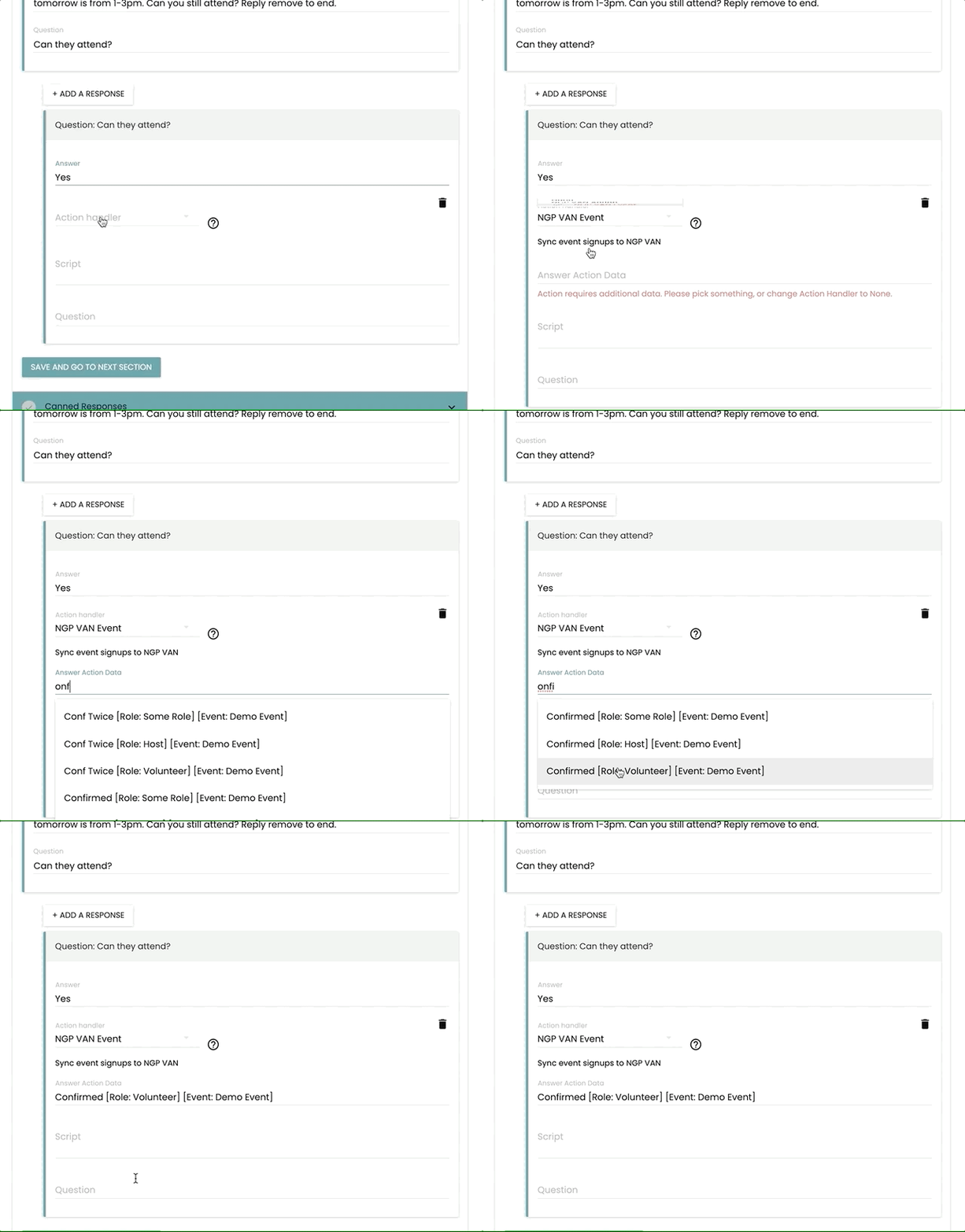
As you create your responses in the Script section, you’ll have an additional Action Handler option called “NGP VAN Event” to sync back signup statuses in VAN.
The Answer Action Data that can sync back for VAN Events are:
- Invited
- Scheduled
- Tentative
- Declined
- Confirmed
- Conf Twice
You can also select from attendee roles of:
- Host
- Volunteer
- Some Role
Volunteer is the most commonly used role for recruiting for VAN Events.
Here’s what it looks like to create a response that syncs back a status of “Scheduled” for a VAN Event:
You can also create follow up confirm campaigns to remind volunteers about attending the event.
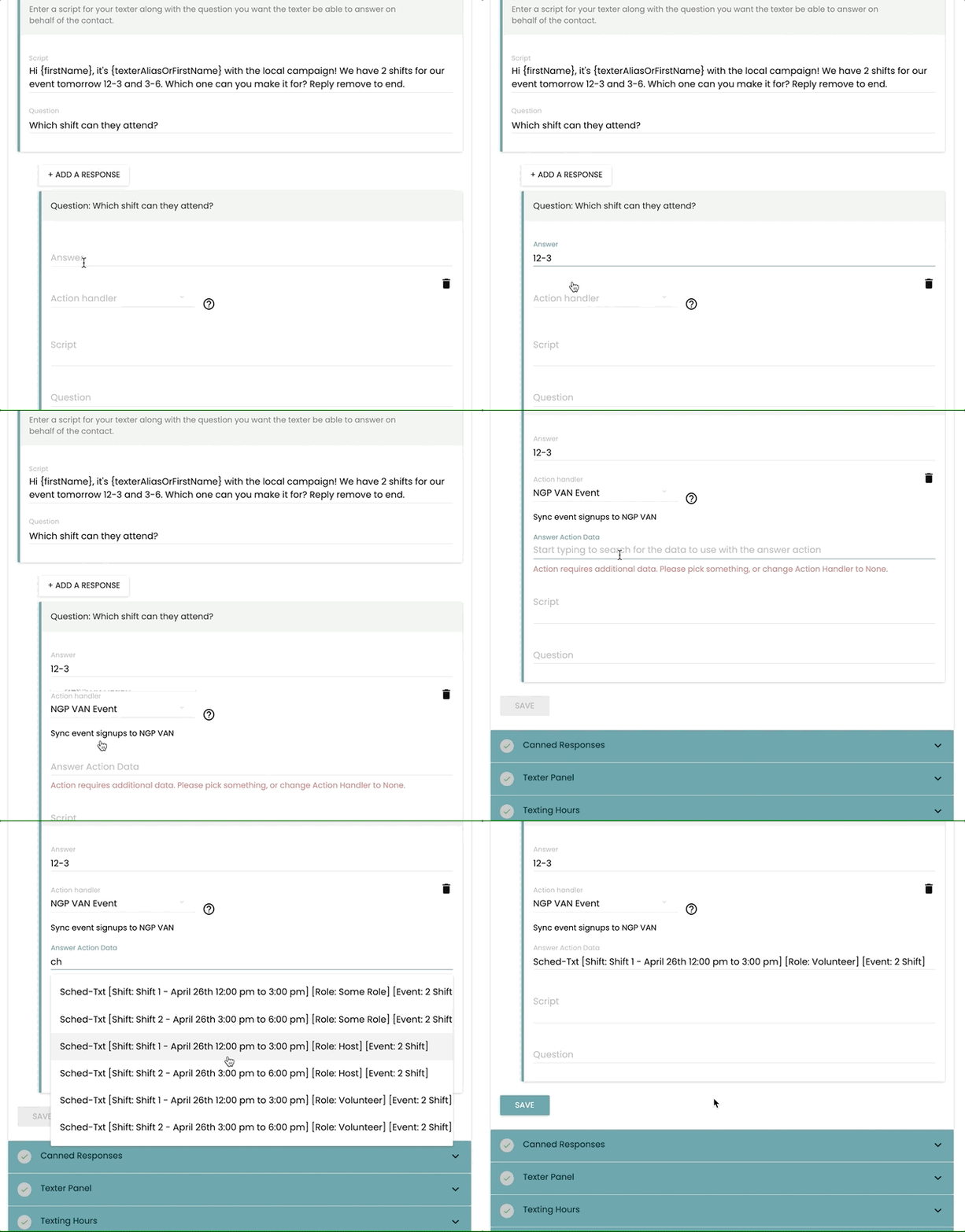
The integration also supports syncing responses for different shifts!