
The Audiences feature gives you the tools to build and manage a group (or groups) of contacts in Scale to Win Text you want to message over time.
An Audience is primarily made up of two pieces:
- A list of contacts that have been added to the audience (this will include opted out contacts who can’t be messaged)
- A set of optional, custom fields (e.g. First/Last name, State, Address, etc) that you can use to segment your audience and create targeted campaigns.
After creating an Audience, you can apply filters and build Saved Searches to segment these contacts. Both the entire audience and specific saved searches can be uploaded for use in future messaging campaigns.
Create an Audience:
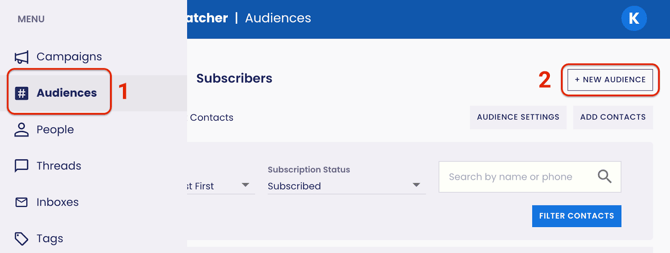
- Navigate to your Audiences page.
- Click on the + New Audience button on the top right of the page.
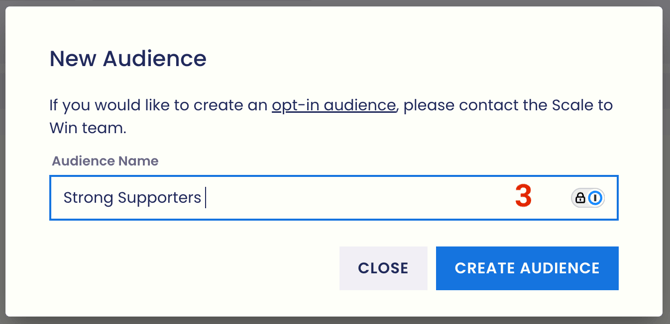
- Give your new audience a name and click on the Create Audience button.
Once you’ve created an audience, you can Add Contacts. Read below for further information.
Add Contacts:
After you have created an audience and created the custom fields you want for that list, you can upload your contacts.
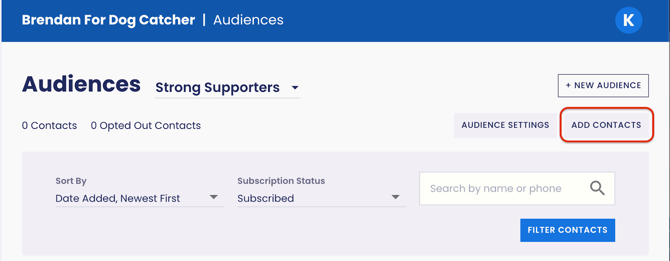
- In your Audiences page, click on the Add Contacts button on the top right.
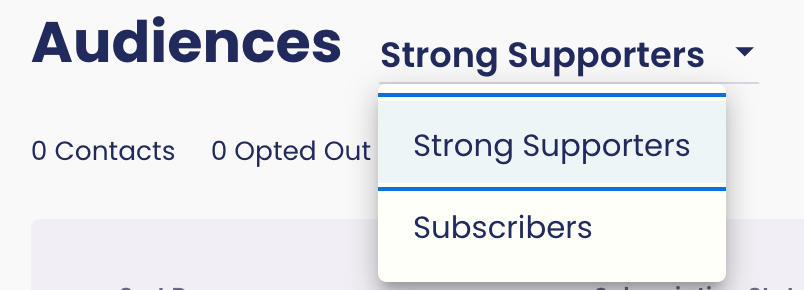
- Note: You can have multiple Audiences, so make sure you’re adding contacts to the correct one. The drop-down menu shows your Audiences.
- There are two options for adding contacts: File Import or Text Entry.
File Import allows you to bulk upload contacts via CSV.
Text Entry allows you to enter contacts one at a time.
- Note: Your contact imports can include fields like First/Last name, State, Address, etc. that you can use to segment your audience and create Saved Searches.
Audience Settings:
From the Audience Settings page, you can edit the name of your audience, add custom fields and export your contacts. 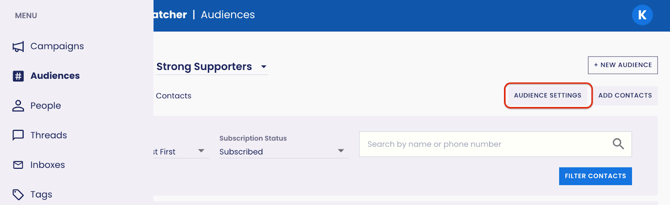
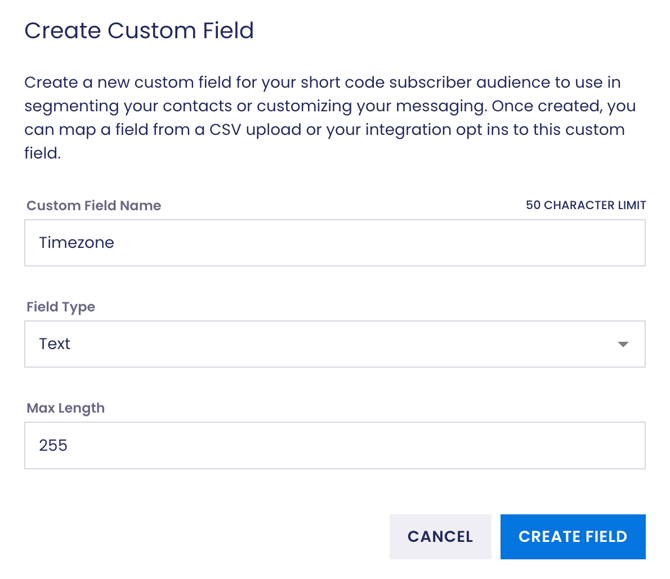
Here you can add custom fields to your audience to append your contact data For example, you can add the timezone contacts live in to segment your list later to include or exclude contacts in future text campaigns based on where they live.
Using Audiences in Campaigns:
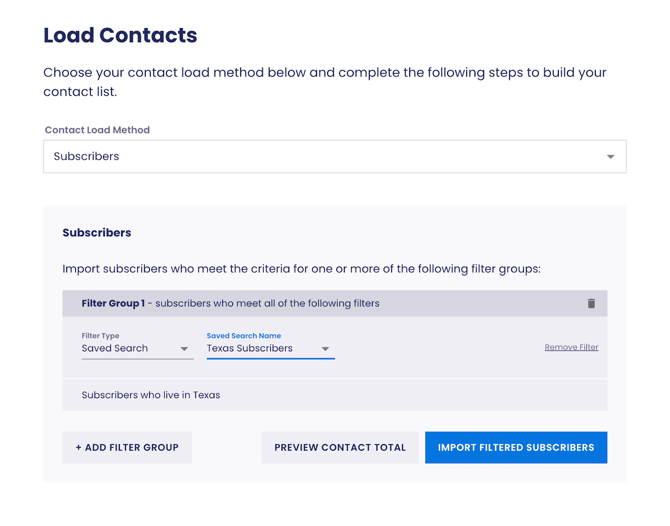
You can use filters or saved searches to load a segment of your Audience during the Load Contacts step of building a campaign.
On the Load Contacts step, choose the Contact Load Method: Audience, choose the audience you want to use and click either Filter Contacts or Import Contacts
Note: Saved Searches are dynamic. This means every time you load a saved search, Scale to Win Text will show an up-to-date list of contacts that match your criteria.
Creating Opt-In Audiences:
Scale to Win Text empowers you to build an Opt-in Audience that you can text using a 10DLC, Toll-Free, and/or Short Code number.
When you separate opted-in contacts into dedicated opt-in audiences, you ensure your campaigns go to a warm list, leading to better reply rates, click-throughs, and donations.
Scale to Win Text now allows organizations to build an Opt-in Audience that you can text using a 10DLC or Toll-Free number. More information can be found on this feature here.
If you are interested in setting up an opt-in audience, or setting up a 10DLC or Toll-Free number to message a subscribed audience, please reach out to
our Client Support team, or book time to chat with our Registration Ops Team.