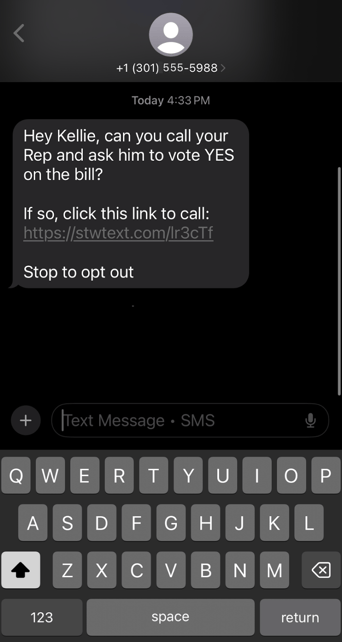
The Click-To feature allows organizations to send contacts a link. When clicked, this link automatically opens the contact's messaging or phone application. The application will be pre-filled with the necessary keyword for a Short Code or the appropriate phone number to call.
Click-To-Text
Organizations can send a Click-To-Text link to their contacts from a 10DLC or Toll-Free number. When a contact clicks this link, their messaging application will automatically open, pre-filled with the necessary keyword for the Short Code. The contact simply needs to press "send" to opt-in to the organization's messaging program via the Short Code (or other defined opt-in method).
To Utilize This Feature:
1. Navigate to the Initial Message stage of your text campaign and write your desired message.
2. Include your opt-in phone number and your desired keyword in this formula: sms:phonenumber?&body=keyword
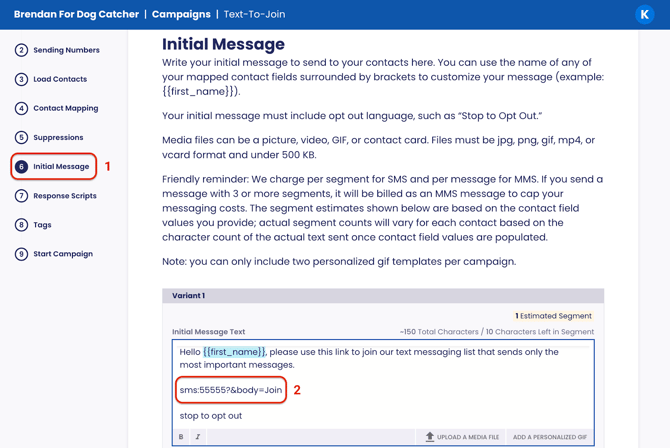
Example: sms:55555?&body=Join
In the above example, 55555 is the Short Code number and “Join” is the opt-in keyword that will pre-populate in the body of the text message.
Note: You can enter any textable phone number as the number and include any text in the body of the text message.
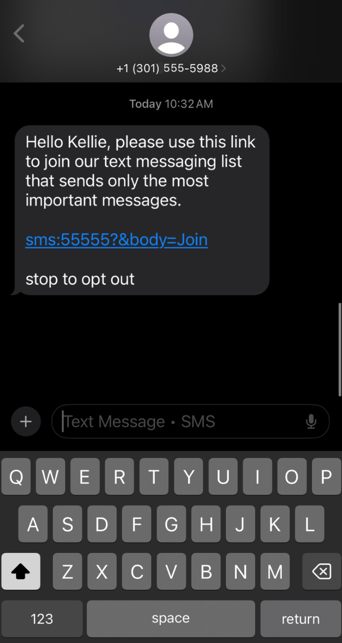
This is how the text will appear to the contact (IOS):
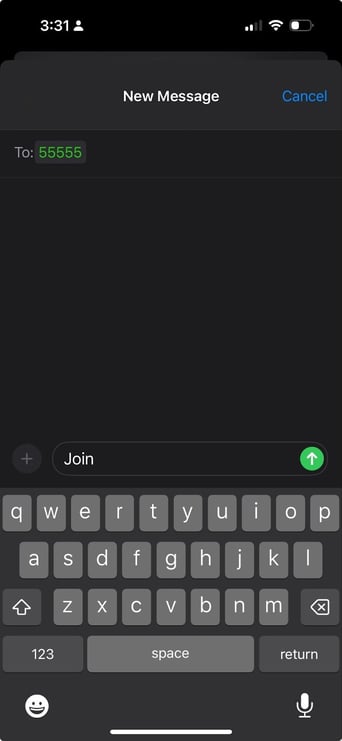
Once the contact clicks the link, their messaging app will open with the keyword to the Short Code.
Click-to-Text With a Shortlink
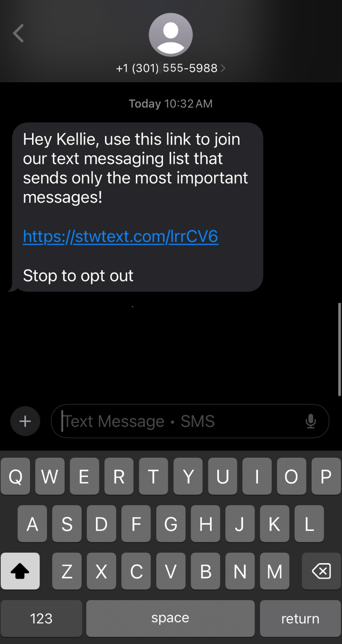
To use a more familiar or branded domain, use our Shortlink feature. Shortlinks also track clicks, so you can easily report on engagement.
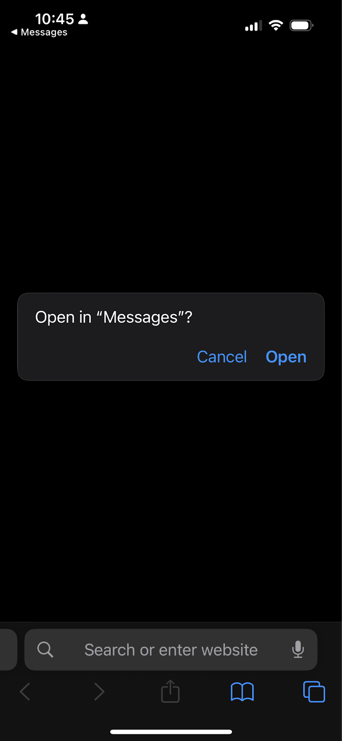
Note: If you use link shortening, some phones may ask for permission before redirecting to the text message. It may be worth A/B testing with and without link shortening to confirm whether the shortlink reduces conversion. Here’s an example on an iPhone:
Click-To-Call
The Click-To-Call link functions similarly to a Click-To-Text link. When a contact selects the link, their phone application automatically opens to dial the linked number. The contact then only needs to press "Call" to initiate the connection.
To Utilize This Feature:
1. Navigate to the Initial Message stage of your text campaign and write your desired message.
2. Include the phone number in this formula: tel:phonenumber
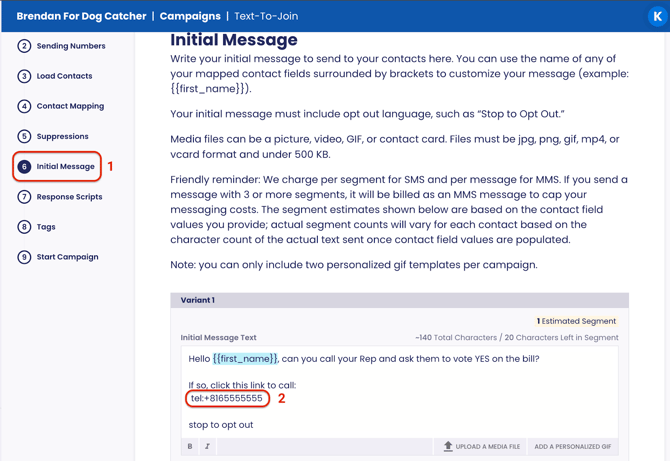
Example: tel:+18165555555
In the above example, +18165555555 is the phone number the contact will dial.
Note: You can enter any callable phone number, remember to include the country code (+1 for US).
This is how the text will appear to the contact (IOS):
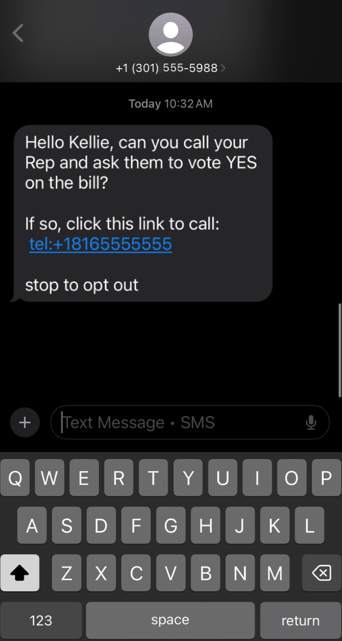
Once the contact clicks the link, their phone application automatically opens to dial the linked number. To initiate a call, the contact will press "Call".
Click-To-Call With a Shortlink
You can also shorten links in your initial text messages to use a more recognizable domain and track link clicks.