
| TABLE OF CONTENTS |
Download W-9
To download our W-9 please click here .
Past Invoices
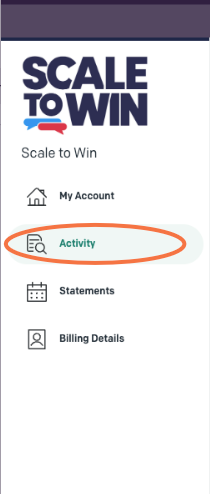
To view and/or download past invoices, click on “Activity” from the left sidebar of your dashboard.
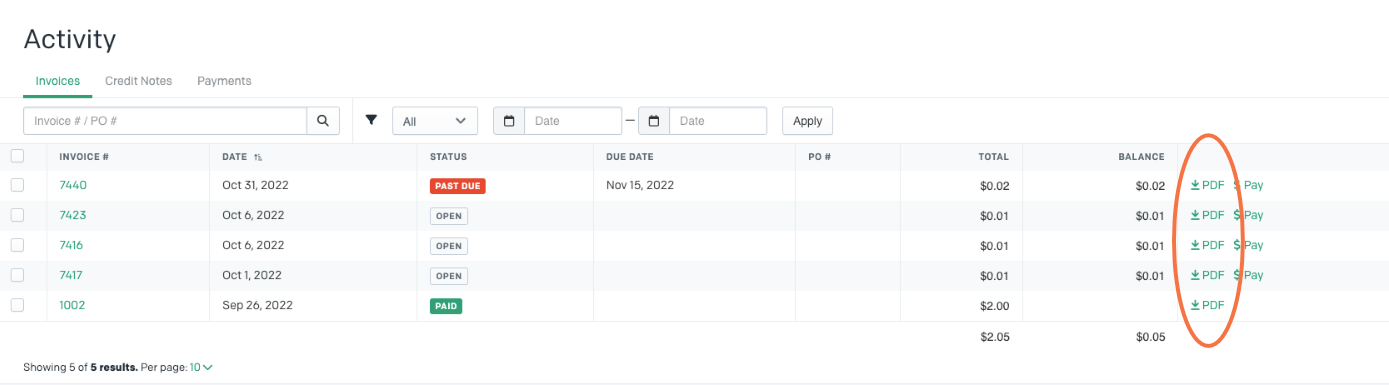
You will see a list of invoices. Click on “PDF” on the right end of the row of the invoice you want to download. Or click on the invoice number to view the invoice.
**Please note: Invoices do not reflect text and dialer usage per campaign. To calculate the cost by campaign please click here to view the Spoke “Usage Guide”**